Performative reading on iPhone Duo
Updated
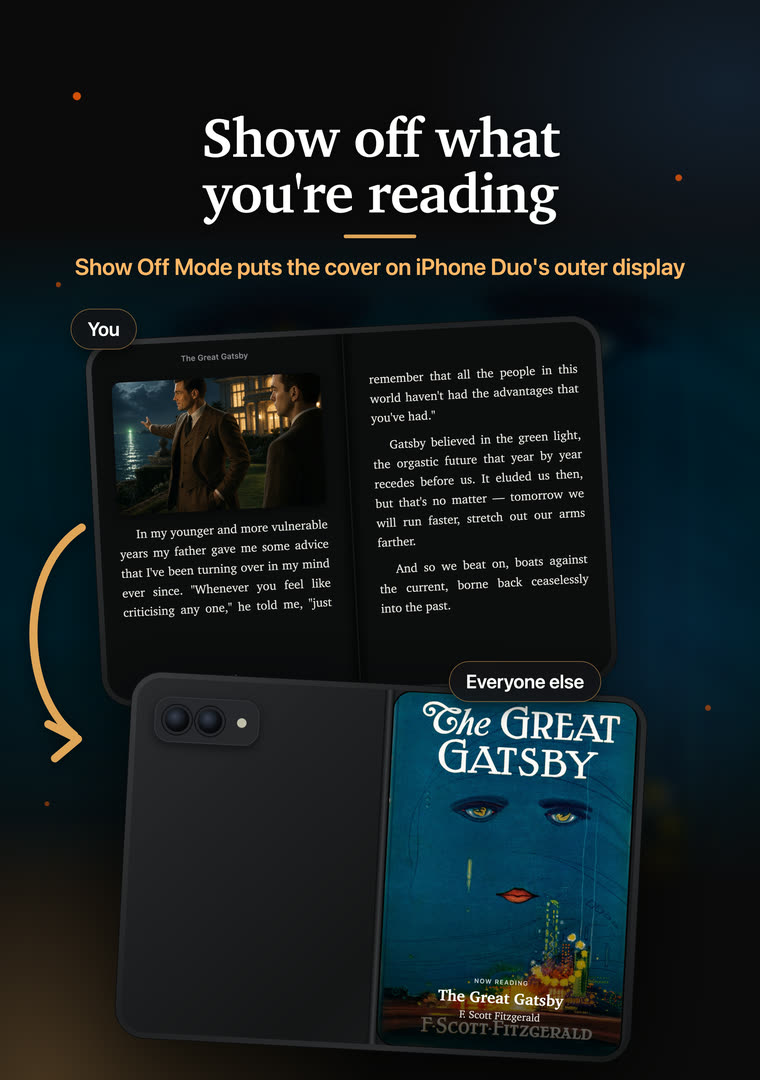
Short answer: open a book in Book2Life with your iPhone Duo unfolded, tap the Genie menu and turn on Show Off Mode. The outer screen shows your book's cover while you read on the inside. It's free.
A paperback tells the whole train what you're reading. A phone tells them nothing: from the outside, War and Peace looks the same as your inbox. iPhone Duo has a screen facing out the whole time it's open, and Show Off Mode gives that screen the one job a book cover has always had.
TechCrunch's Sarah Perez put a name to it in her review of a month with the Duo:
“I love how you can ‘performatively read’ using an app like Book2Life”
A month with the iPhone Duo has changed how I use my phone, TechCrunch
How to turn it on
- Get Book2Life. It's free on the App Store, and the iPhone Duo layouts are free too.
- Open a book and unfold the Duo. Start with one of the free classics, or a book of your own.
- Tap the Genie menu, then Show Off Mode. iOS asks for camera permission the first time. The next section says why.
- Read. The outer screen now shows the cover, with “Now Reading”, the title and the author.
Turn it off from the same switch. It also stops when you fold the Duo or leave the book, and it starts off each time you open one, so you choose it for the read you want to show.
Why it asks for the camera
iOS only lets an app draw on the Duo's outer display while a camera session is running. So Show Off Mode starts the rear camera at its lowest setting and discards every frame. Nothing is recorded, saved or sent, and the camera stops when you stop reading. A running camera uses some battery, which is one more reason it's off until you ask for it.
What the people around you see
- The book's real cover.
- “Now Reading”, the title and the author underneath.
- Nothing else: not your page, your place or your notes.
When to leave it off
It's off by default for a reason. What you read is yours to show or not, and a lit screen facing out is not welcome everywhere. In a dark room, on a red-eye or in bed, leave it off.
The rest of the Duo
The cover is the part other people see. The part you see is a real two-page spread: bend the Duo like a book and Book2Life lays out facing pages with the spine on the hinge, so no line runs across the fold. Fold it shut and you're on the same line on the outer screen. See everything Book2Life does on iPhone Duo.
Frequently asked questions
What is performative reading on iPhone Duo?
Reading on the Duo's inner display while the outer screen shows the cover of your book to the people around you, the way a paperback does. TechCrunch used the phrase in its month-long review of iPhone Duo, naming Book2Life as an app that does it.
How do I show my book's cover on iPhone Duo's outer screen?
Open a book in Book2Life with the Duo unfolded, tap the Genie menu and turn on Show Off Mode. The outer screen shows the cover with Now Reading, the title and the author. It is free.
Does Show Off Mode use the camera?
It starts the rear camera at its lowest setting and throws every frame away, because iOS only lets an app use the Duo's outer display during a camera session. Nothing is recorded, saved or sent. iOS asks for camera permission the first time.
Can I turn the cover off?
Yes. Show Off Mode starts off each time you open a book, and the same switch in the Genie menu turns it off. It only runs while you are reading with the Duo open.
Is Show Off Mode free?
Yes. Show Off Mode and the iPhone Duo page layouts are free, and so are the classics and narration.